Tag: Automation

  • Installing Chat AI on SWJ and StudioHaus

    Installing Chat AI on SWJ and StudioHaus

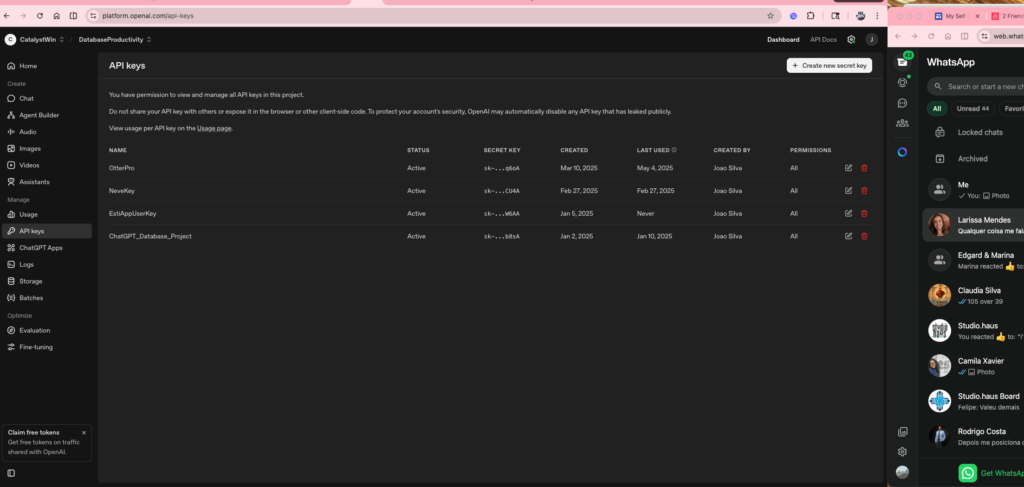
    Super Important: https://platform.openai.com/api-keys


    Above the link to login to the OpenAI Api, of course it needs to be authenticated and everything else.

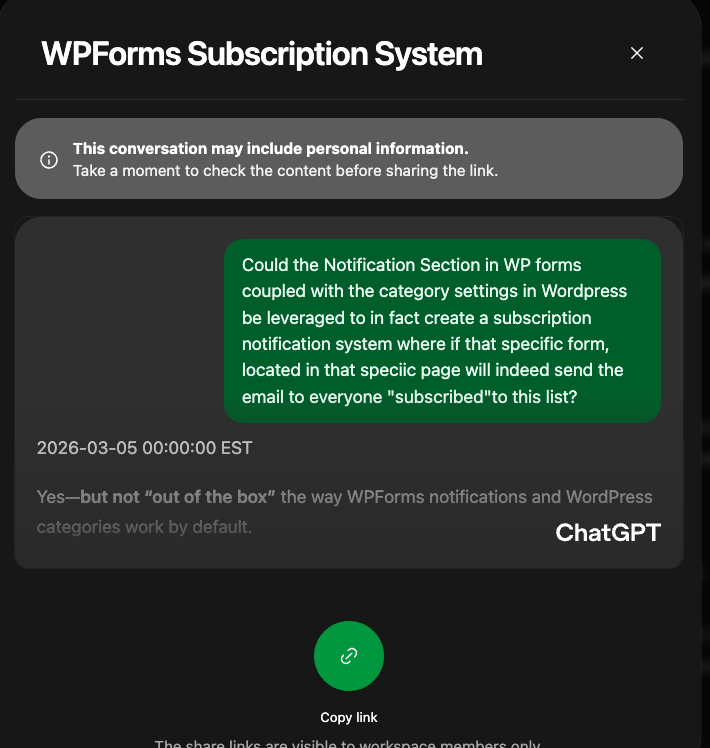
  • Could the Notification Section in WP forms coupled with the category settings in WordPress be leveraged to in fact create a subscription notification system where if that specific form, located in that speciic page will indeed send the email to everyone “subscribed”to this list?

    Could the Notification Section in WP forms coupled with the category settings in WordPress be leveraged to in fact create a subscription notification system where if that specific form, located in that speciic page will indeed send the email to everyone “subscribed”to this list?

    GPT Answer:

    2026-03-05 00:00:00 EST

    Yes—but not “out of the box” the way WPForms notifications and WordPress categories work by default.

    What WPForms notifications can do

    • Send emails to fixed recipients (one or many, comma-separated).
    • Send emails to a recipient captured in the form (e.g., “Email” field).
    • Use Conditional Logic to choose which notification fires (based on form fields, hidden fields, page URL, etc.).

    Where it breaks for a “subscriber list”

    A true subscription system needs:

    1. A place to store subscriber emails (a list/database/CRM).
    2. A way to fetch that list at send time and email them (or better: hand off to an email service).

    WPForms Notifications doesn’t natively maintain or target a growing list of subscribers and then blast an email to all of them when a form on a specific page is submitted.

    About “category settings” in WordPress

    • Posts have categories by default.
    • Pages usually don’t (unless you added categories to pages via a plugin/custom code).
    • Even when pages have categories, WordPress categories don’t automatically map to “email lists” unless something custom links them.

    The viable ways this can be leveraged

    1. WPForms + an email marketing integration (recommended architecture)
      • Form submission adds/removes people from a list/segment.
      • A later event (another form submit, a publish action, automation trigger) sends to that segment.
      • This is what Mailchimp / Brevo / ConvertKit / MailerLite, etc. are designed for.
    2. WPForms + custom code to build recipients dynamically
      • Store subscribers in WordPress (user meta, custom table, CPT).
      • On submission of that specific form/page, code looks up “subscribers for that category/list” and injects them as recipients.
      • This is feasible, but it’s custom development and can hit deliverability/volume limits fast.
    3. Use categories for “who gets notified” but not via WPForms Notifications
      • Category-driven subscription is more naturally handled by “new post in category → notify subscribers” plugins/workflows.
      • WPForms then only handles subscribing/unsubscribing.

    Key caution

    If “everyone subscribed” is more than a small handful, using WPForms/WordPress to directly send bulk email often causes deliverability problems (spam, rate limits, host restrictions). A dedicated email service avoids that.

    If you tell me whether your “category” is post category or page category (custom) and roughly how many subscribers you expect, I can tell you which of the three paths above actually fits the behavior you want.
  • Updated Whitelist settings on booking.com

    Updated Whitelist settings on booking.com

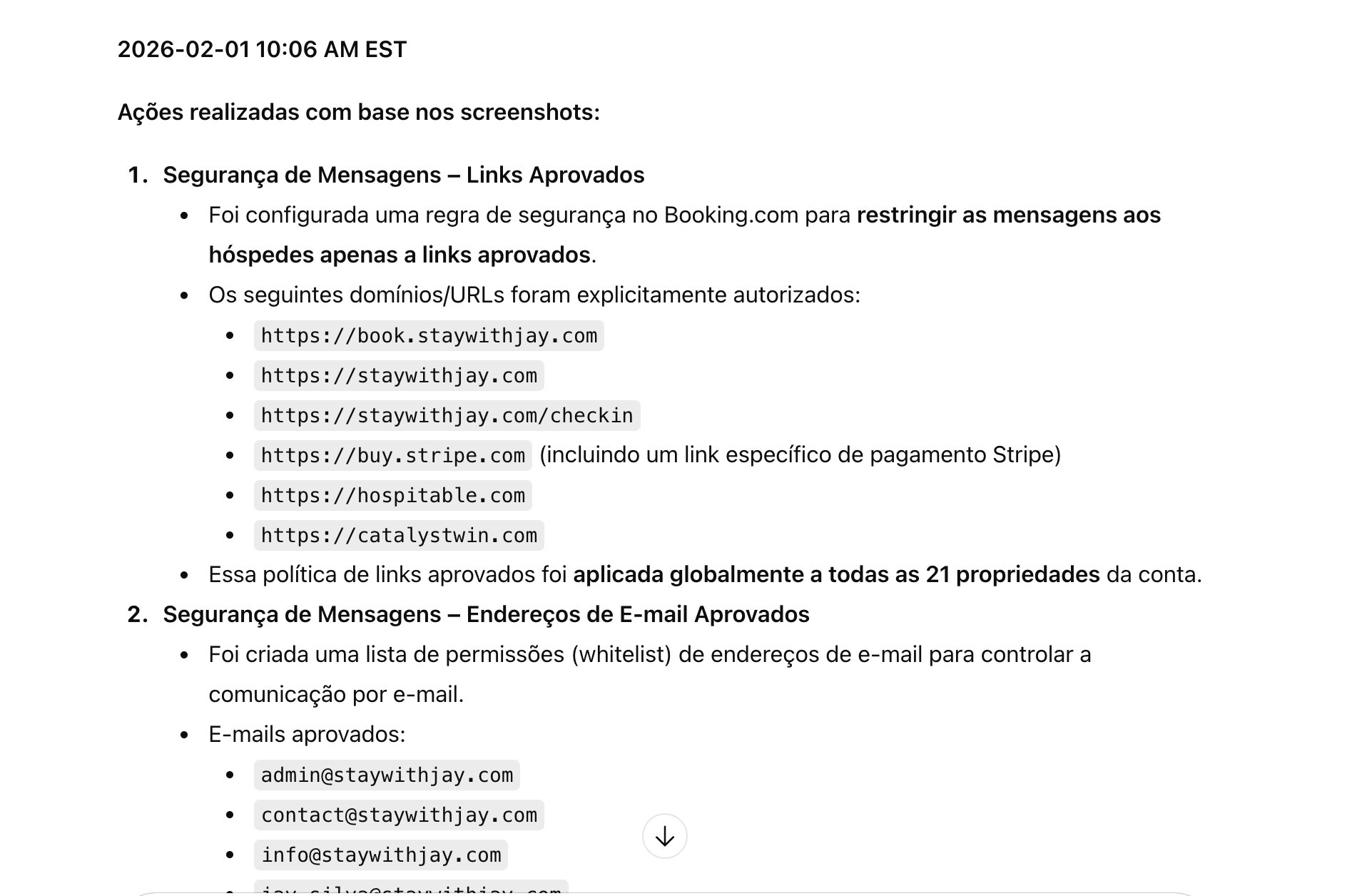
    Actions completed based on the screenshots:

    1. Messaging Security – Approved Links
      • A security rule was configured in Booking.com to restrict guest messages to approved links only.
      • The following domains/URLs were explicitly approved:
        • https://book.staywithjay.com
        • https://clevelandbyjay.com
        • https://clevelandbyjay.com/checkin
        • https://buy.stripe.com (including a specific Stripe payment link)
        • https://hospitable.com
        • https://catalystwin.com
      • This approved-links policy was applied globally to all 21 properties under the account.
    2. Messaging Security – Approved Email Addresses
      • A whitelist of approved sender/receiver email addresses was created to control email-based communication.
      • Approved emails include:
        • admin@staywithjay.com
        • contact@staywithjay.com
        • info@staywithjay.com
        • jay.silva@staywithjay.com
        • support@staywithjay.com
      • This email security setting was also applied to all 21 properties, ensuring consistency across the portfolio.
    3. Global Application Confirmation
      • In both cases (links and email addresses), Booking.com displayed a confirmation modal stating that:
        • Existing settings would be overridden.
        • The same approved lists would be enforced across every property.
      • The action “Apply to all properties” was selected and confirmed.
    4. Messaging Preferences Review
      • Accessed Messaging Preferences for individual properties within Booking.com.
      • Verified notification settings, including:
        • Email notifications when a guest sends a message (ON).
        • Email notifications when an automatic reply is triggered (ON).
        • Daily reminder email (OFF).
    5. Automatic Replies Configuration
      • Navigated to Automatic Replies within Messaging Preferences.
      • Confirmed which automated topics are active:
        • Enabled: Check-in, Check-out
        • Disabled / Not configured: Parking, Bed preference, Smoking/Non-smoking
      • Verified the ability to manage or create additional automatic replies via the “Create automatic reply” option.

    Net result:
    A centralized, locked-down messaging security framework was implemented across all Booking.com listings, ensuring that only verified StayWithJay links and email addresses can be shared with guests, while also validating notification and automatic reply behavior at the property level.