Author: Jay
-
Could the Notification Section in WP forms coupled with the category settings in WordPress be leveraged to in fact create a subscription notification system where if that specific form, located in that speciic page will indeed send the email to everyone “subscribed”to this list?
GPT Answer:
2026-03-05 00:00:00 EST
Yes—but not “out of the box” the way WPForms notifications and WordPress categories work by default.
What WPForms notifications can do
- Send emails to fixed recipients (one or many, comma-separated).
- Send emails to a recipient captured in the form (e.g., “Email” field).
- Use Conditional Logic to choose which notification fires (based on form fields, hidden fields, page URL, etc.).
Where it breaks for a “subscriber list”
A true subscription system needs:
- A place to store subscriber emails (a list/database/CRM).
- A way to fetch that list at send time and email them (or better: hand off to an email service).
WPForms Notifications doesn’t natively maintain or target a growing list of subscribers and then blast an email to all of them when a form on a specific page is submitted.
About “category settings” in WordPress
- Posts have categories by default.
- Pages usually don’t (unless you added categories to pages via a plugin/custom code).
- Even when pages have categories, WordPress categories don’t automatically map to “email lists” unless something custom links them.
The viable ways this can be leveraged
- WPForms + an email marketing integration (recommended architecture)
- Form submission adds/removes people from a list/segment.
- A later event (another form submit, a publish action, automation trigger) sends to that segment.
- This is what Mailchimp / Brevo / ConvertKit / MailerLite, etc. are designed for.
- WPForms + custom code to build recipients dynamically
- Store subscribers in WordPress (user meta, custom table, CPT).
- On submission of that specific form/page, code looks up “subscribers for that category/list” and injects them as recipients.
- This is feasible, but it’s custom development and can hit deliverability/volume limits fast.
- Use categories for “who gets notified” but not via WPForms Notifications
- Category-driven subscription is more naturally handled by “new post in category → notify subscribers” plugins/workflows.
- WPForms then only handles subscribing/unsubscribing.
Key caution
If “everyone subscribed” is more than a small handful, using WPForms/WordPress to directly send bulk email often causes deliverability problems (spam, rate limits, host restrictions). A dedicated email service avoids that.
If you tell me whether your “category” is post category or page category (custom) and roughly how many subscribers you expect, I can tell you which of the three paths above actually fits the behavior you want.
-

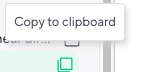
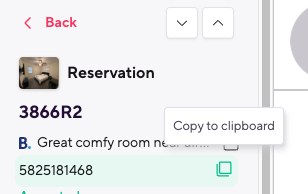
Implementing Copy Anything to Clipboard
What is the name of this copy to clipboard function
Answer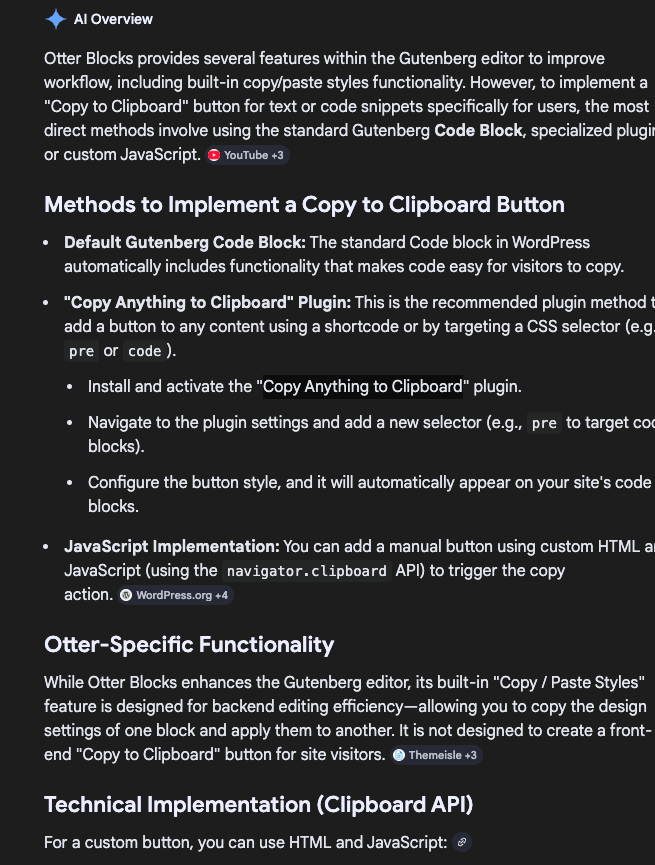
Resource Links:
https://www.google.com/search?q=otter+blocks+to+implement+the+copy+to+clipboard+button&sca_esv=ce1d9c6da6b8c5e1&sxsrf=ANbL-n4cv-LkADKRNdV-Ou6dj3T_D9mmwA%3A1772713074037&ei=cnSpaY_4AaKaptQPvdHIgQk&biw=1920&bih=992&oq=otter+blocks+to+implement+the+copy+to+clip&gs_lp=Egxnd3Mtd2l6LXNlcnAiKm90dGVyIGJsb2NrcyB0byBpbXBsZW1lbnQgdGhlIGNvcHkgdG8gY2xpcCoCCAAyBRAhGKABMgUQIRigATIFECEYoAEyBRAhGKABMgUQIRigATIFECEYqwIyBRAhGKsCMgUQIRifBUjmrgFQh0BY54oBcAl4AZABAZgBZKAB4iKqAQQ1OC4xuAEByAEA-AEBmAJAoAKKIsICChAAGLADGNYEGEfCAgQQIxgnwgIFEAAY7wXCAggQABiABBiiBMICBhAAGBYYHsICCxAAGIAEGIYDGIoFwgIFEAAYgATCAgsQABiABBiRAhiKBcICBxAhGKABGAqYAwCIBgGQBgiSBwQ2My4xoAf83gKyBwQ1NC4xuAfvIcIHBjkuNDcuOMgHfIAIAA&sclient=gws-wiz-serp

