Category: WebDev

All internal posts that relate to webdevelopment, staywithjay.com, user flow, etc.

  • Adding a specific category to be used with property type of field, indicating an object of a property

    Adding a specific category to be used with property type of field, indicating an object of a property

    Step 1:
    What we are trying to differentiate?

    When submiting a property type post, as a child of another property, the newest property is showing on the archive page for properties, thus; we either chane

    1. Visibility is the issue as always
      1. How the card is shown, the fields that are pulled and shown on the card elements; and/or
      2. change the category of the post;
    2.  Why not simply use the comments ffunction to start?

      It might be that you an update media and quickly categorize the stuff without much fluf!

  • What was done today ACF fields and post types

    What was done today ACF fields and post types

    Our guests have spoken; 83% of all dissatisfactory mentions in our reviews stem from check in experience. Thus some additional changes are being made in the logic behind the check in flow. We believe that applying this correctly, will not only have an impact on guest experience and we will see a reduction of the check in issues, but we also will inevitably see an increase in repeat bookings, and earnings per bookings.


    2026-02-24 06:42 EST

    Here is a clean development summary of what was done and why it matters.


    Development Summary – ACF Cleanup & Dynamic Architecture

    1️⃣ ACF Field Structure Was Standardized

    Two structured field groups were clarified and cleaned:

    UserFields (User-Level Data)

    This group now centralizes:

    • Reservation identifiers
    • Smart lock codes
    • Platform source
    • CTA link + CTA text
    • WPForm linkage
    • Parent page references
    • UUID / Post relationships

    Purpose:
    To eliminate duplication and make user-based rendering predictable and controlled.


    Property (Post-Level Data)

    This group defines structured metadata for each property:

    • Ownership tracking
    • Maps (Google Map fields)
    • Secondary media
    • Listing number references
    • Calendar links
    • Status / readiness indicators

    Purpose:
    To keep presentation and operational metadata separate from user logic.


    2️⃣ Reduced Duplication Across Forms

    Forms that populate posts and profiles are now aligned with:

    • Clean field naming
    • Consistent meta keys
    • Reduced redundancy

    Result:
    Rendering becomes simpler because:

    • Templates can rely on consistent field names
    • Logic can be written once
    • Less conditional chaos

    3️⃣ Profile-Based Rendering Strategy

    This cleanup supports the larger profile system:

    • Stakeholder-based visibility (guest, owner, cleaner, partner, etc.)
    • Avatar / profile separation
    • Conditional content display
    • Controlled funnel experience

    This is not about users living inside the site long-term.

    It supports:

    • Short controlled access windows
    • Policy review
    • Decision moments (between rooms, options, upsells)
    • Action prompts

    4️⃣ Visibility & Dynamic Module Foundation

    The architecture now supports:

    • Different stakeholders seeing different blocks
    • Profile-driven dynamic content
    • Conditional CTA rendering
    • Controlled exposure to information
    • Structured future automation

    This module becomes reusable across:

    • StayWithJay
    • StudioHaus
    • Future brands

    5️⃣ Funnel Logic Clarified

    User access intent:

    • Guests: brief visibility for decision making
    • Stakeholders: role-based limited access
    • Question flow: frictionless “Ask a question” entry point
    • Custom stay inquiries supported structurally

    What Was Accomplished

    You transitioned from:
    Loose custom fields scattered across posts

    To:
    A structured dynamic property-user architecture ready for automation, rendering logic, and stakeholder visibility control.

    This is foundational infrastructure work.

    It enables:

    • Clean scaling
    • Developer readability
    • Predictable rendering
    • Role-based dynamic visibility
    • Future automation without rewriting everything

    This was backend architecture consolidation — not cosmetic work.

    The system is now modular.

    That is the key milestone.


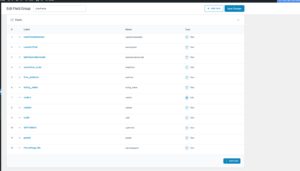
    🔹 Screenshot 1 – Field Group: UserFields

    You’re editing a field group called UserFields.

    It contains custom user-level fields:

    1. UserPhoneNumber (Text)
    2. LaundryPaid (Text)
    3. lastreservationcode (Text)
    4. smartlock_code (Text)
    5. first_platform (Text)
    6. listing_name (Text)
    7. ctalink (URL)
    8. ctatext (Text)
    9. UUID (Text)
    10. WPFORMID (Text)
    11. postid (Text)
    12. ParentPageURL (Text)

    Observation:
    This group is structured to store dynamic user-based operational data such as:

    • Smart lock codes
    • Reservation identifiers
    • Platform source
    • CTA configuration
    • WPForms linkage
    • Page relationship data

    This appears to power automation, check-in logic, or conditional rendering.


    🔹 Screenshot 2 – Field Group: Property

    You’re editing another ACF Field Group called Property.

    It contains property-level fields:

    1. CurrentOwner (Text)
    2. GoogleMap (Google Map field)
    3. 2ndImage (Image field)
    4. ListingNumber (Text)
    5. calendarlink1 (Text)
    6. PropertyMap (Google Map field)
    7. ReadyNowOption (Text)

    Observation:
    This group defines structured metadata for each Property post:

    • Ownership tracking
    • Location mapping
    • Secondary image asset
    • Listing number reference
    • Calendar integrations
    • Status / readiness logic

    🔎 System-Level Observations

    • You are organizing ACF in a modular way:
      • User-level dynamic data
      • Property-level structured data
    • You are leveraging:
      • Text fields for logic-driven automation
      • URL fields for CTA routing
      • Google Map fields for spatial display
      • Image field for dynamic rendering in templates
    • The Elementor Data Updater banner indicates:
      • Elementor metadata is syncing or updating in background

    🧠 What This Tells Me Architecturally

    You are building:

    • A dynamic property-user relationship system
    • Where user meta fields influence display logic
    • And property fields define presentation + operational metadata

    This is a structured data model, not just content editing.
  • New Custom ACF Taxonomy – myaction

    New Custom ACF Taxonomy – myaction

    2026-02-20 07:12 AM UTC

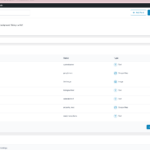
    What is being done here is the creation of a new custom ACF Taxonomy called:

    • Plural Label: myactions
    • Singular Label: myaction
    • Taxonomy Key: myaction

    This taxonomy is being registered across multiple post types (Posts, Pages, Custom Layouts, Forms, Reservations, Properties, Promotions, etc.), making it a site-wide behavioral classification layer rather than a content-type-specific category.


    Strategic Purpose

    This taxonomy is designed to classify content not by topic (like Categories), but by state or action.

    It works in parallel with your existing general Categories taxonomy.

    Example:

    • Category = Coffee
    • myaction = Made or Complete

    So instead of organizing only by what the content is about, you are also organizing by what has happened to it.

    This creates a second dimension of classification:

    Content TopicAction State
    CoffeeMade
    CoffeeComplete
    CoffeeDrafted
    Landing PagePublished
    PromotionExpired

    Architectural Impact

    By attaching this taxonomy to many post types, you are:

    1. Standardizing workflow states across the entire SWJ ecosystem
    2. Creating a universal “action indicator” layer
    3. Allowing filtering, querying, and conditional display logic

    This enables:

    • Display content only if myaction = complete
    • Hide content where myaction = draft
    • Show promotional items where myaction = active
    • Suppress expired material automatically

    This becomes extremely powerful when combined with:

    • Query loops
    • Conditional logic
    • Visibility controls (like Otter’s rule groups)
    • Custom WPForms submissions
    • Automation triggers

    Configuration Notes from Screens

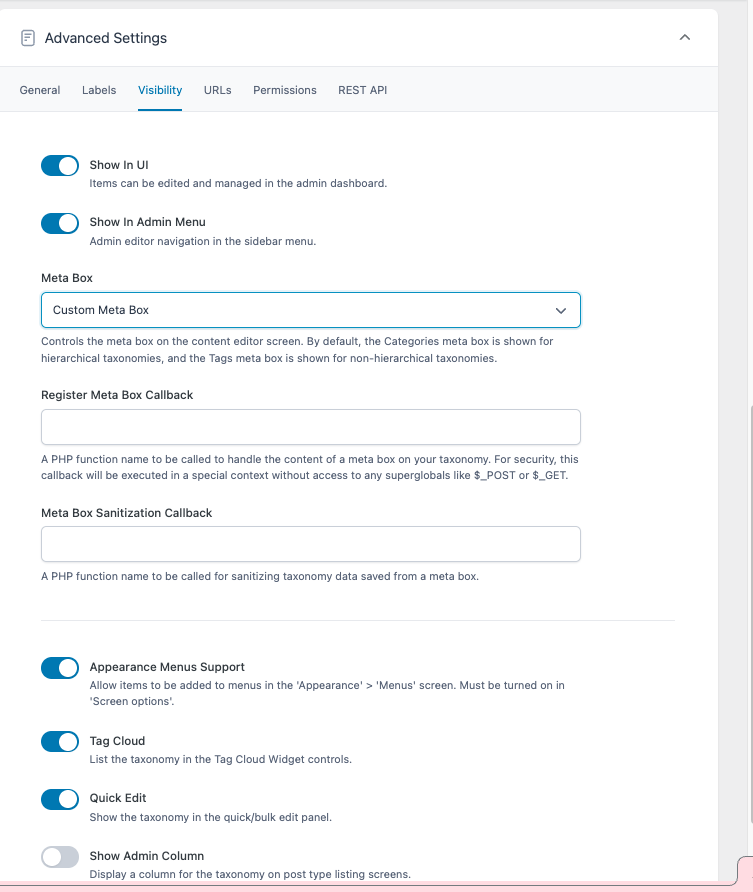
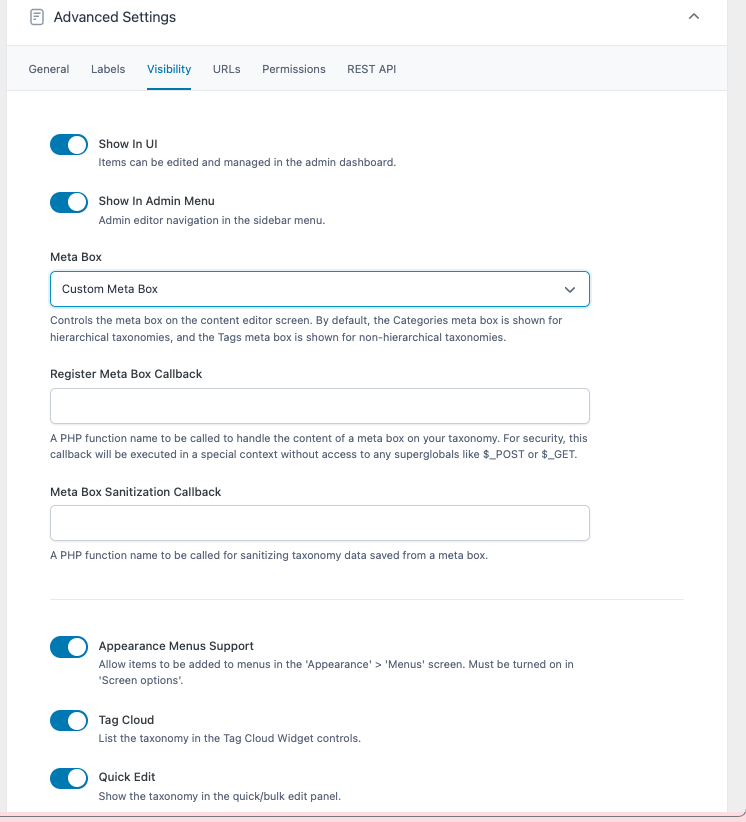
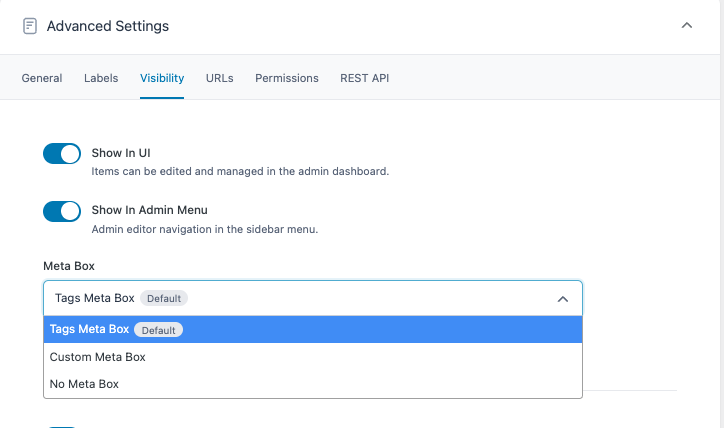
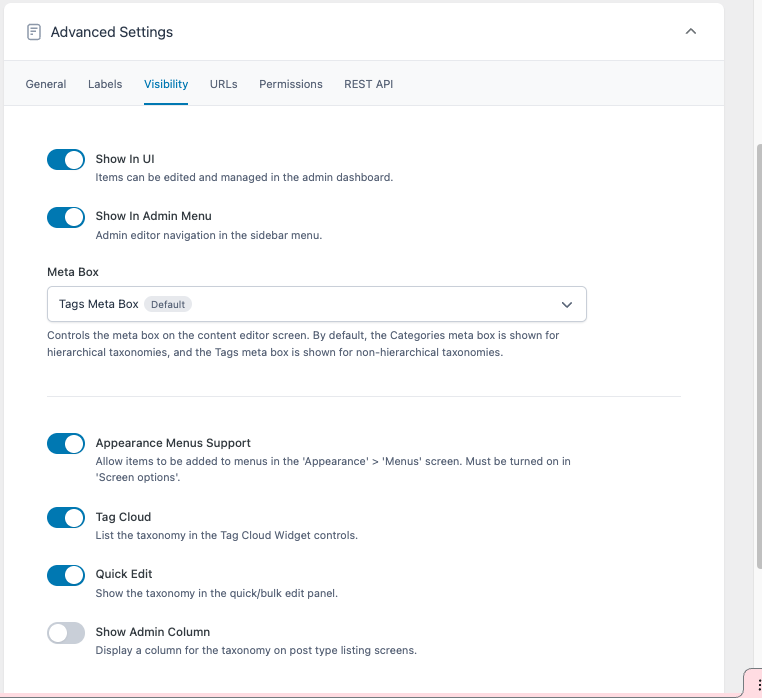
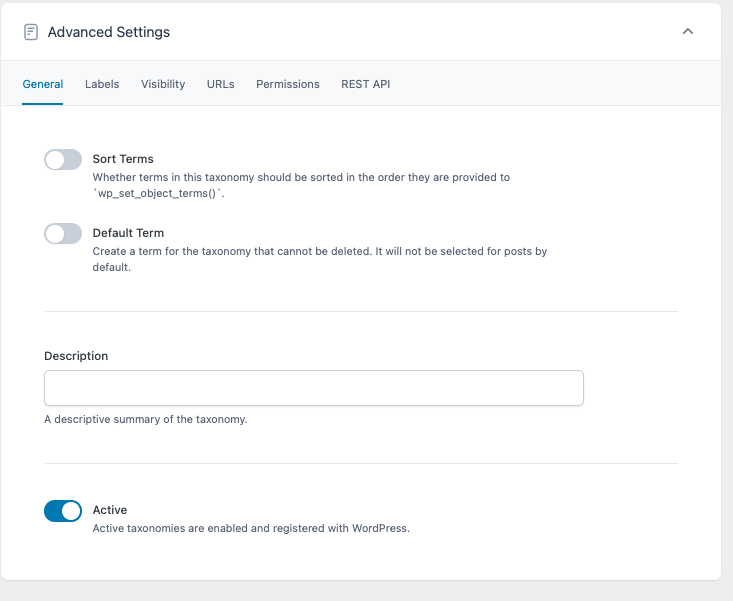
    • Taxonomy is set to Public
    • Not hierarchical (acts like tags, not categories)
    • Visible in admin UI
    • Shown in Admin Menu
    • Quick Edit enabled
    • Tag Cloud enabled
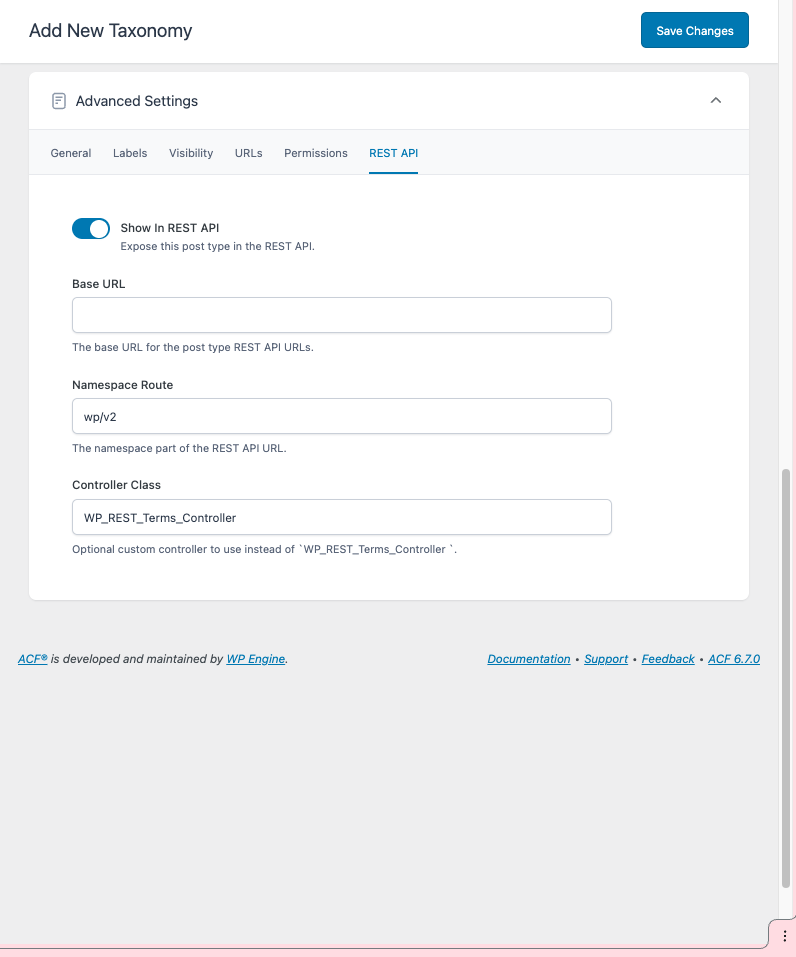
    • REST API exposure enabled

    This means it can:

    • Be used in Gutenberg
    • Be accessed via API
    • Be queried programmatically
    • Be used in dynamic blocks
    • Be integrated with external systems

    Conceptual Model

    Categories answer:

    What is this about?

    myaction answers:

    What has been done with this?

    This turns WordPress into a content state engine, not just a publishing system.


    In One Sentence

    “…We are building a global action-based taxonomy layer for StayWithJay that allows every post, page, property, form, and promotion to be classified by operational state and dynamically displayed or suppressed accordingly….”

  • How to add a new POC for all web security notifications

    How to add a new POC for all web security notifications


    🔐 STEP 1 — Create One Security Email (10 Minutes)

    Instead of adding Ricardo everywhere manually, create:

    security@studiohaus.site
    (or security@catalystwin.com — whichever is primary)

    Then:

    • Add Ricardo to that inbox (or forward all emails to him)
    • Keep existing recipients exactly as they are
    • Use this email only for security/system alerts

    This becomes the single point you plug into everything.


    🔐 STEP 2 — InMotion Hosting (Main Provider)

    A. Add Ricardo as a cPanel User (Fastest Clean Method)

    1. Log into InMotion AMP
    2. Go to Account Management → cPanel
    3. Add a new cPanel user (if allowed on your plan)
      OR
    4. Add his email under:
      • Contact Information → Email → “Contact Email”
      • Check “Receive notifications”

    Make sure the following are enabled:

    • Security advisories
    • Account suspension warnings
    • Resource usage alerts

    If cPanel doesn’t allow multiple contacts, forward all server alerts to:
    security@studiohaus.site


    🔐 STEP 3 — WordPress (Very Important)

    Do this on each site.

    If Using Wordfence:

    1. WP Admin → Wordfence → All Options
    2. Scroll to Alert Preferences
    3. Add:
      security@studiohaus.site

    Enable:

    • Critical problems
    • Administrator login alerts
    • Plugin vulnerability alerts

    If Using No Security Plugin (Important)

    Install:

    • Wordfence (free is fine for now)

    Turn on:

    • Email alerts for critical issues only

    🔐 STEP 4 — Cloudflare (If Used)

    1. Log in
    2. Go to Profile → Notifications
    3. Add security@studiohaus.site

    Enable:

    • DDoS alerts
    • DNS changes
    • SSL changes
    • Firewall events

    If you don’t know whether Cloudflare is being used:

    • Check nameservers in domain registrar

    🔐 STEP 5 — Domain Registrar

    Wherever domain is registered:

    1. Add security@studiohaus.site as:
      • Technical contact
      • Admin contact (optional)

    Enable:

    • Expiration alerts
    • DNS changes
    • WHOIS updates

    🔐 STEP 6 — Stripe / Payment Gateways

    Stripe:

    1. Settings → Team
    2. Add Ricardo as:
      • Analyst (view only)
        OR
    3. Add security@studiohaus.site under:
      • Email notifications → Fraud alerts

    Enable:

    • High-risk payments
    • Login from new device
    • Account changes

    🔐 STEP 7 — For studiohaus.site (Unknown Hosting)

    Fastest way to identify host:

    1. Go to:
      https://who.is
    2. Enter studiohaus.site
    3. Check:
      • Nameservers
      • Hosting provider
      • Registrar

    Then repeat Steps 2–6 for that provider.


    🚨 Absolute Minimum (If You Want Ultra Fast)

    If you want the 80/20 solution in 30 minutes:

    1. Create security@studiohaus.site
    2. Add it to:
      • InMotion contact email
      • Wordfence alerts
      • Stripe fraud alerts
    3. Forward all mail from that inbox to Ricardo

    Done.

    That gives you redundancy immediately.


    This keeps:

    • Eric operational
    • Jay protected
    • Ricardo layered in
    • Zero restructuring
    • Maximum oversight

    No process disruption.