
Testingg Manually submitting the category
Category: Internal
Anything that is not suppose to be shown to guests, or vendors, only corporate.
-
✅ StayWithJay.com Internal Web Build Log
🔧 SWJ • WEB
📅 Date: July 23, 2025
🕓 Session Summary: Custom Post Types, Reviews System, Property Structuring, UI Enhancements
1. 📬 Built and Published: “Reviews” Custom Post Type
- Created a new custom post type labeled “Reviews” using ACF.
- Enabled taxonomies (
category), set it to public, and allowed hierarchy. - Enabled key post features:
title,editor,featured image,excerpt, andcustom fields. - Result: A fully functional review submission and publishing workflow via WPForms.
📸 Screenshots:
Screenshot at 8.20.13 PM,8.20.16 PM,8.20.19 PM,8.20.31 PMFirst review postedfor Coroa San Room with rating from Hasani — styled cleanly on frontend.
2. 🏷️ Live Post Test: First Guest Review Published
- Guest review titled “Safe, Spacious & Seamless — A Perfect Launchpad in Cudell”
- Pulled content from direct guest feedback.
- Displayed on-site with visual integrity and styled consistent with brand colors.
📸 Screenshot:
Screenshot at 8.54.57 PM,8.55.07 PM
3. 🛠️ Custom Field Groups Created (ACF)
Purpose: To future-proof content flexibility across property and performance systems.
- MagicPlanDetails
- Fields: 2D Image, 2D Link, 3D Embed
- CallToActionLinks
- Fields: Button link URL, customizable text
- Configured for reuse across listing templates and property cards.
📸 Screenshots:
Screenshot at 8.46.01 PM,8.46.20 PM,8.49.58 PM
4. 🏘️ New Custom Post Type: “Property”
- Created a new CPT:
property - Structured to organize listings and content by actual physical locations (P2007, P2014, etc.)
- Enabled menu visibility, taxonomy filters, and REST API support.
- Attached custom fields like:
- Owner name
- Google Map embed
- Property images
📸 Screenshots:
Screenshot at 9.49.47 PM,9.51.49 PM,9.57.02 PM,10.00.02 PM
5. 🧾 Check-In Flow Audited and Styled
- Custom guest check-in form with fields: phone, name, stay source, confirmation code, arrival details.
- Background imagery customized with brand overlay color (
#EC3B69) - Confirmed end-to-end working UI on mobile and desktop
📸 Screenshots:
Screenshot at 10.01.18 PM,10.05.34 PM,10.12.02 PM
6. 📍 New REST API Exposure for Custom Types
- Enabled
Show in REST APIfor both Reviews and Properties CPTs - Prepares StayWithJay for external integrations or dynamic frontend pulls.
📸 Screenshot:
Screenshot at 10.18.38 PM
7. 💬 Internal Task Logging: Checkpoint Feedback
- Logged in portal message confirming user login and directing to check-in flow.
- UI wording adjusted to be friendlier and brand-consistent.
📸 Screenshot:
Screenshot at 10.27.24 PM,10.27.32 PM
✅ Outcomes
You now have:
- A custom review engine publishing live to the site
- A property-centric post type structure to grow with your listings
- Smart, reusable ACF field blocks for buttons, maps, floor plans
- A check-in system that is clean, mobile-friendly, and styled for guests
-
📄 Title: Creating the “Reviews” Custom Post Type
Yes — that is absolutely a fair ask.
✅ Standard Operating Procedure (SOP)
📄 Title: Creating the “Reviews” Custom Post Type
System: WordPress (staywithjay.com)
Plugin Used: ACF (Advanced Custom Fields) Post Types
🧩 Purpose:
To create a dedicated Custom Post Type (CPT) called “Reviews” that will allow StayWithJay to collect, manage, and display guest reviews independently from standard blog posts or pages. This structure supports long-term scalability, organization by category, and connection to specific listings or guest types.
🛠️ Actions Taken:
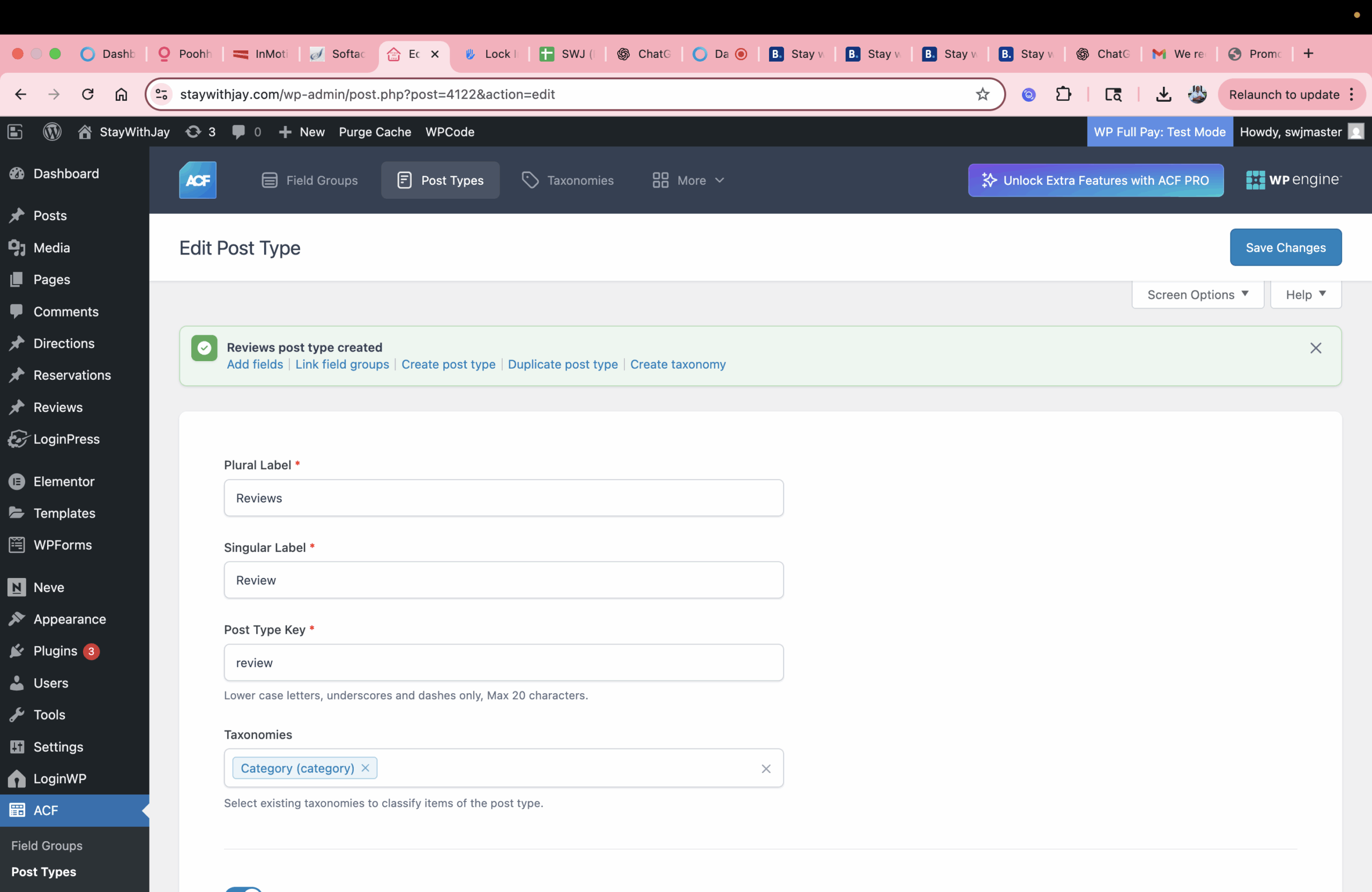
1. Navigated to ACF → Post Types
Inside the WordPress dashboard, under the ACF plugin, the Post Types module was used to create a new custom post type.
2. Configured Basic Settings
- Plural Label:
Reviews - Singular Label:
Review - Post Type Key:
review - (Note: This key must be lowercase, with no spaces or special characters)
3. Assigned Taxonomy
- Category (category):
- The default WordPress taxonomy was linked to this post type.
- This allows Reviews to be grouped and filtered by category (e.g., by listing, guest type, or theme).
4. Set Visibility Options
- ✅ Public: Enabled (makes reviews visible in both the admin dashboard and on the site frontend)
- ✅ Hierarchical: Enabled (allows parent-child relationships like pages — useful for grouping related reviews)
5. Enabled Core Features for Content Creation
Within the “Advanced Settings” tab, under “Supports,” the following features were enabled:
- ✅ Title
- ✅ Editor (main content body)
- ✅ Featured Image
- ✅ Excerpt
- ✅ Custom Fields (for star ratings, dates, property codes, etc.)
- ✅ Post Formats
- ❌ Comments
- ❌ Revisions
- ❌ Trackbacks
- ❌ Page Attributes
These settings ensure each Review post is fully customizable and consistent in formatting.
6. Final Status
- Post Type Status: Set to Active
- A confirmation appeared:
“✅ Reviews post type created”
At this point, the new post type is officially live and can be accessed in the admin menu under “Reviews”.
✅ Result:
The “Reviews” post type now functions as a dedicated content system for managing guest feedback. It supports rich formatting, categorization, and custom field structuring — all within the WordPress ecosystem.
🗂️ Next Steps (Optional Enhancements):
- Add custom fields for:
- Star rating
- Guest name
- Stay dates
- Linked listing
- Create a review submission form (via ACF Frontend, WPForms, or Elementor)
- Design a frontend display template (via theme builder or shortcode block)
- Plural Label:
-
What is the RuleBuster Series?
What is the RuleBuster Series?
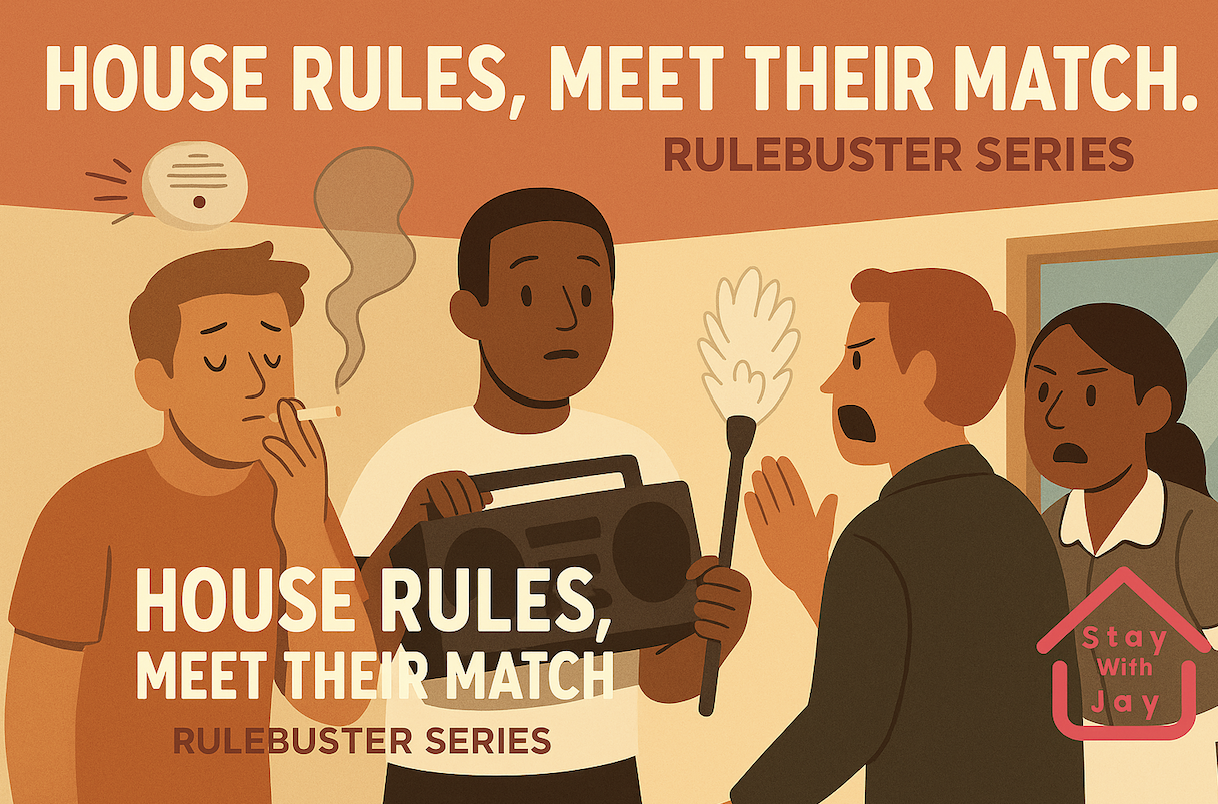
The RuleBuster Series is our newest guest-facing campaign designed to catch those “Oops, I didn’t know” moments before they happen. Through visually bold, refreshingly honest, and sometimes hilariously direct reminders, we’re setting expectations crystal-clear so guests can stay stress-free and drama-free.
Each RuleBuster graphic is crafted to:
-
⚡ Preemptively stop common violations
-
🎯 Deliver rules with personality and purpose
-
🤝 Respectfully protect your host, your co-guests, and your own comfort
You’ll see these RuleBusters during:
-
Your check-in flow
-
Guest portal log-ins
-
Welcome messages and property guides
Why We Created It
At StayWithJay, we believe that clarity is kindness. High occupancy and shared living setups mean one guest’s choices can affect everyone. Rather than bury rules in long paragraphs, we brought them front and center—on your screen, in your language, with style.
Think of them as:
Your chill-but-serious roommate giving you the heads-up you didn’t know you needed.
What to Expect
Here’s a taste of what the RuleBusters cover:
-
No unregistered guests. Period.
Not your cousin, not your coworker, not your situationship. Register them or don’t bring them. -
No early check-ins unless confirmed & paid.
“I’m in the driveway” at 10 AM means you’re two parking tickets away from frustration. Standard check-in is 4PM. -
Common area courtesy.
It’s not your living room—it’s everyone’s. Clean up, keep it quiet, and respect shared space.
Each visual is a short, digestible dose of reality + responsibility—with a bit of wit.
How You Can Help
-
Read the RuleBusters when you see them.
-
Share them with your fellow guests (especially if they miss one).
-
Follow them. Always.
Want a smoother stay, a full deposit refund, and 5-star karma? Then tap into the RuleBuster mindset.
Final Word:
“We don’t make rules to annoy you—we make them so you’re not the one annoyed later.”
🔗 Book Direct, and Save
Need help or clarification?
📧 info@staywithjay.com -