Category: WebDev

All internal posts that relate to webdevelopment, staywithjay.com, user flow, etc.

  • 📖 StayWithJay – Dynamic Reviews Implementation Guide + Tons

    📖 StayWithJay – Dynamic Reviews Implementation Guide + Tons

    📖 StayWithJay – Dynamic Reviews Implementation Guide

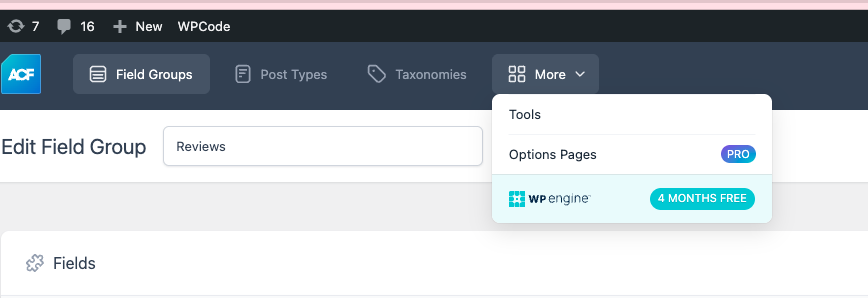
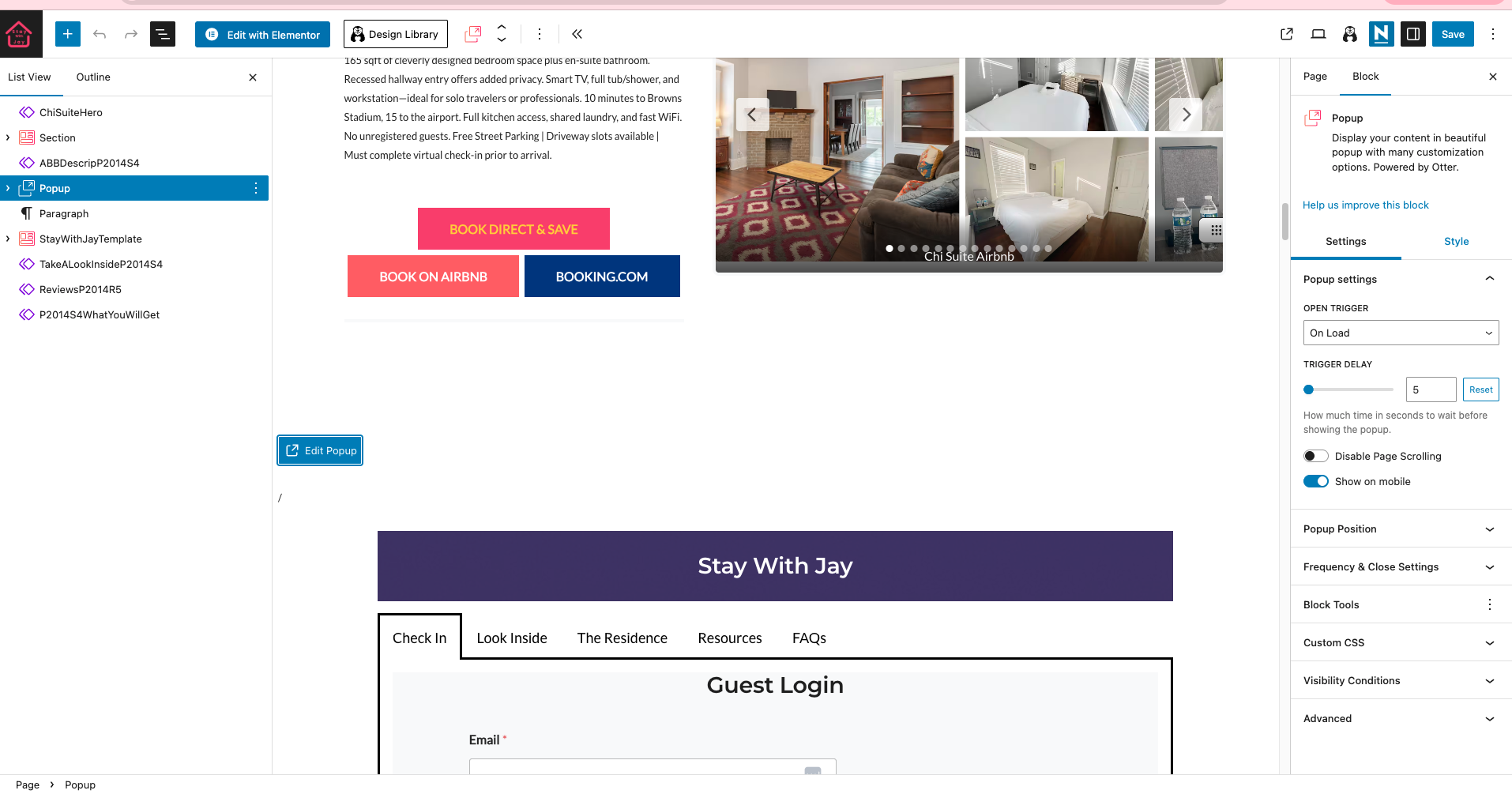
    (Refer to attached screenshots on chatgpt throughout this guide for visual context of each step and current output.)


    1. Custom Layouts for Reviews

    • We created Custom Layouts in Neve and scoped them to show only for the Reviews post type.
    • This ensures reviews render dynamically across the site without requiring manual content duplication.
    • Each layout can pull fields directly from Advanced Custom Fields (ACF) and display them inside block patterns.

    ✅ Working:

    • Layouts are applying correctly when Post Type = Reviews.
    • Different patterns (gradient hero block, light background version) are rendering reviews.

    ⚠️ Needs Simplification:

    • Currently requires manual JSON edits when tweaking colors or text styles.
    • Theme variables (e.g., var(--nv-site-bg)) are still overriding custom text colors in some cases — we fixed this by switching to hardcoded hex colors and adding "customColor":true.

    2. Advanced Custom Fields (ACF) Setup

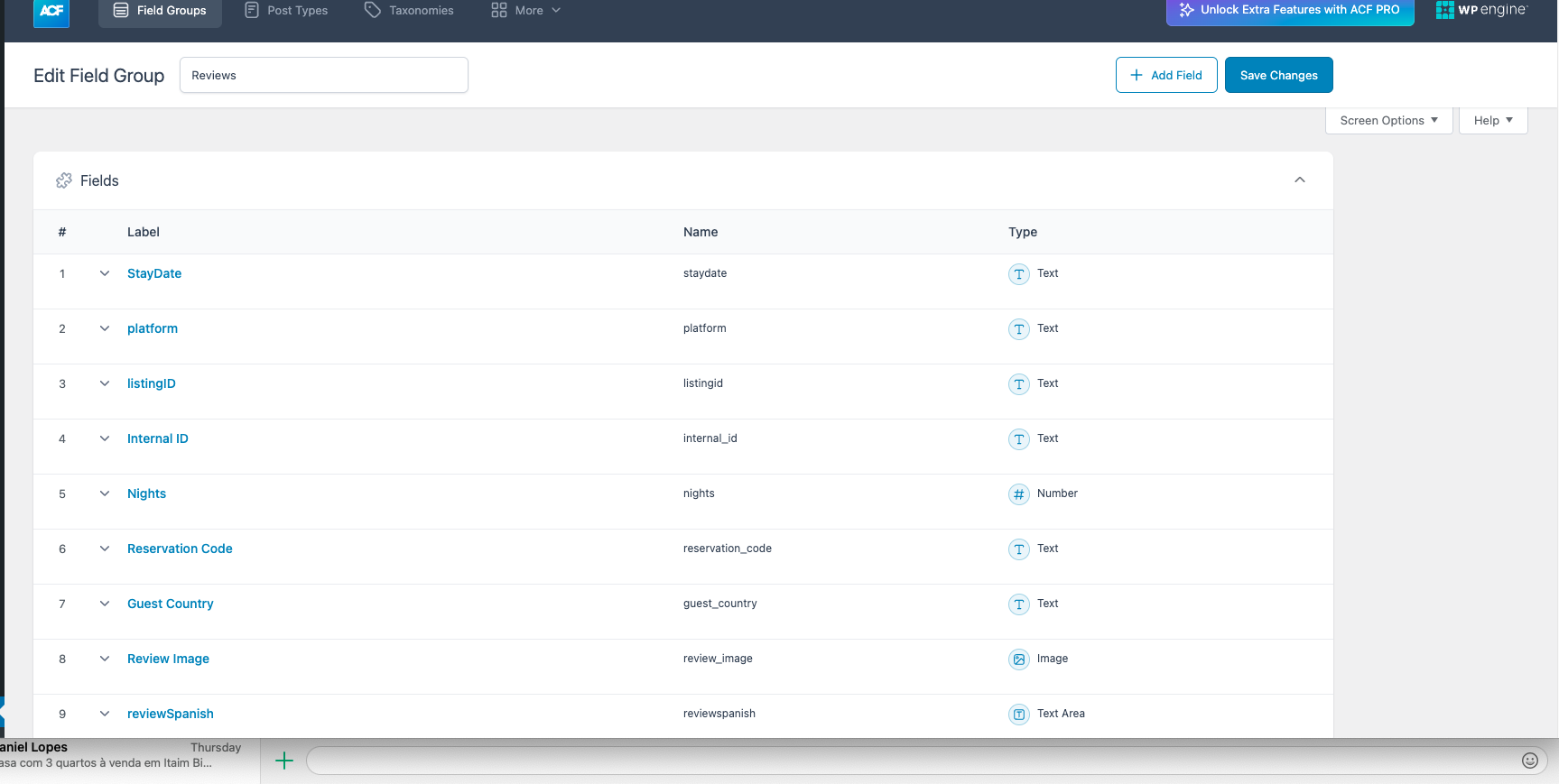
    We have a Review Field Group with these key fields:

    • guestname
    • reviewenglish / reviewspanish
    • review_image
    • guest_country
    • staydate
    • nights
    • platform
    • reservation_code
    • listingid
    • internal_id

    New additions made during this effort:

    • Dropdown in Review Form with direct links to all listings’ booking buttons.
    • Category field labeled “Listings” in ACF that stores all internal listing numbers.
      • Goal: Call these listing IDs dynamically inside review templates for cross-linking (e.g., “Book the Coroa San Room”).

    ✅ Working:

    • All ACF fields are saving and rendering when called in layouts.
    • Dropdown for direct links has been added and is functional.

    ⚠️ Not Working Yet:

    • We don’t yet have dynamic linking between listingid or internal_id and the “Book Now” button. Currently, CTA buttons are manually set.
    • category: Listings exists, but isn’t yet dynamically feeding into layouts.

    3. Block Patterns (Dark vs Light)

    We created block patterns for reviews to control design. Two main versions:

    • Dark Gradient Layout:
      • Background: pink → purple gradient (#EC3B69 → #230A41).
      • Text forced to white (#FFFFFF).
      • CTA button: gold (#FFCC00) or pink (#EC3B69).
    • Light Gradient Layout:
      • Background: white → light-gray with soft StayWithJay pink accents at low opacity.
      • Text: dark purple (#230A41) and gray (#333).
      • CTA button: gold or pink.

    ✅ Working:

    • Both layouts render dynamically when swapped into Custom Layouts.
    • Light version now feels airy and branded (after fixing the earlier “too washed out” problem).

    ⚠️ Still Clunky:

    • Editing requires switching into Code Editor and manually adjusting JSON.
    • Color overrides can still break if theme variables sneak back in.

    4. Dynamic Rendering

    Reviews pull their content dynamically:

    • [acf field="guestname"] → Guest name.
    • [acf field="reviewenglish"] → Review text.
    • [acf field="review_image"] → Guest photo.
    • [acf field="guest_country"] → Guest’s country.
    • [acf field="staydate"] and [acf field="nights"] → Stay details.

    ✅ Working:

    • Guest details + review excerpts populate correctly.
    • Dynamic data is styled inside the layout patterns.

    ⚠️ Still Pending:

    • Dynamic linking from dropdown to listings (so reviews can point users to book the correct room).
    • Ability to auto-generate excerpts from long reviews without manual trimming.

    5. Styling & Visual Distribution

    Screenshots show multiple iterations where we refined the design:

    • Hero-style two-column layouts (review content on left, guest image on right).
    • Gradient backgrounds tuned for readability + branding.
    • Typography hierarchy:
      • Guest name/review title = large bold heading (2em+).
      • Review excerpt = medium readable body text (16–18px).
      • Metadata (country, date, nights) = small and subtle.

    ✅ Looks Polished:

    • CTA buttons pop and guide users to booking pages.
    • Background gradients match StayWithJay’s identity.

    ⚠️ Next Level:

    • Could alternate layouts (left/right image flip) for visual rhythm across reviews.
    • Could introduce a star rating visual or icons to break up heavy text.

    6. Next Steps for Web Dev Team

    1. Finalize Dynamic Linking:
      • Map listingid or internal_id → booking URLs (dropdown links).
      • Automate CTA button so it pulls the correct link per review.
    2. Simplify Editing:
      • Explore making these review layouts saved reusable patterns instead of JSON edits.
      • Ensure color overrides are permanent by baking them into block styles.
    3. Enhance Design:
      • Add star rating or icons for better scannability.
      • Create alternating light/dark layouts for variety.
      • Make review excerpts auto-truncate at set length.
    4. Archive & Reuse System:
      • Document this workflow as a template for future use with:
        • Testimonials.
        • Host stories.
        • Case studies.

    7. What’s Working vs Not Working

    ✅ Working Now:

    • Custom Layout applies to Reviews post type.
    • ACF fields map dynamically into layouts.
    • Dark & light gradient backgrounds render properly.
    • Review excerpts + guest info show dynamically.
    • Dropdown with direct links to listings has been added.
    • Listings category exists in ACF with internal IDs.

    ⚠️ Not Working Yet:

    • Direct dynamic linking of reviews to booking buttons.
    • Dynamic use of “Listings” category in CTA buttons.
    • Simplified styling controls (still too reliant on raw JSON edits).

    8. Conclusion

    We now have a fully dynamic review system in place that is:

    • Branded,
    • Flexible,
    • Ready to expand to other post types.

    The main development push ahead is to integrate listing IDs into CTA links so reviews automatically drive guests to the correct booking page.

    This will complete the cycle: guest leaves review → review displays dynamically → review links directly back to booking → conversion funnel closed.
  • StayWithJay – ACF + WPForms Integration for Guest Data and Conditional Visibility

    StayWithJay – ACF + WPForms Integration for Guest Data and Conditional Visibility

    🛠 StayWithJay – ACF + WPForms Integration for Guest Data and Conditional Visibility

    Overview

    We have successfully connected WPForms (User Registration add-on) to ACF User Fields so that when a user registers, all key reservation details and entitlements (LaundryPaid, ListingID, ReservationCode, etc.) are saved directly on their WordPress user profile.

    This setup allows us to use conditional visibility rules (Otter Blocks, GenerateBlocks, etc.) to control what each guest sees when logged in, based on their stored user meta.

    In short: Every guest is now a profile with dynamic entitlements.


    ✅ Visibility Mapping Table

    ACF/User Field Condition Show/Hide Example
    LaundryPaid = true Reveal Laundry Code tile (button with code)
    VisitorPass = true Show Visitor Access instructions
    lastreservationcode matches active reservation Show “Active Stay Dashboard”
    listingID = property ID Show property-specific rules, guides, and codes
    smartlock_code not empty Show SmartLock instructions
    guest_count > 1 Show extra guest policy or fees
    platform = airbnb / direct / booking Adjust messaging (e.g., review link for Airbnb vs. direct booking incentives)

    ✅ FAQ – Next Steps & Clarifications

    Q1. How are user fields updated?
    👉 Using the WPForms User Registration add-on, mapped fields (phone, reservation code, listing ID, etc.) are stored as user meta when a new user is created.

    Q2. What about forms that don’t register users (like laundry pass payments, upsells, or contact forms)?
    👉 By default, they don’t update user meta. To make them update ACF fields for logged-in users:

    • Use Zapier integration, or
    • Add a WPCode snippet (see below) hooked into wpforms_process_complete to update user meta directly.

    Q3. Can a button (without a form) update ACF fields?
    👉 Not directly. A button would need to fire an AJAX or PHP function that runs update_user_meta() / update_field() for the logged-in user. This is possible but requires custom code.

    Q4. How do we handle coupons or promos?
    👉 Add a field like has_coupon. When a guest clicks “Yes” to claim a coupon, update their user meta. The Promotions page can then show active coupons only to users with has_coupon = true.

    Q5. How do we handle multiple reservations per user?
    👉 Currently, we overwrite lastreservationcode. For a full reservation history, we’d add a repeater field in ACF or use a separate “Reservations” CPT linked to the user.

    Q6. Can we consolidate the multiple check-in forms?
    👉 Yes. Since all forms now map to the same user meta structure, we can migrate toward a single dynamic check-in form. It would adjust what it shows/collects based on the user’s booking details (ListingID, guest_count, etc.), reducing maintenance across multiple forms.


    ✅ Code Example – Updating ACF/User Meta From Non-Registration Forms

    Drop this into WPCode or your theme’s functions.php. It ensures that if a logged-in user submits any WPForm, their ACF fields are updated with the submitted values.

    /**
     * Update user meta (ACF fields) after WPForms submission
     */
    add_action( 'wpforms_process_complete', function( $fields, $entry, $form_data, $entry_id ) {
    
        // Only proceed if user is logged in
        $user_id = get_current_user_id();
        if ( ! $user_id ) {
            return;
        }
    
        // Example: Laundry Paid toggle
        if ( isset( $fields[7]['value'] ) && $fields[7]['value'] === 'Long Term Laundry Pass' ) {
            update_user_meta( $user_id, 'LaundryPaid', true );
        }
    
        // Example: Reservation Code (field ID 2)
        if ( isset( $fields[2]['value'] ) ) {
            update_user_meta( $user_id, 'lastreservationcode', sanitize_text_field( $fields[2]['value'] ) );
        }
    
        // Example: Listing ID (field ID 3)
        if ( isset( $fields[3]['value'] ) ) {
            update_user_meta( $user_id, 'listingID', sanitize_text_field( $fields[3]['value'] ) );
        }
    
    }, 10, 4 );
    

    🔑 Replace 2, 3, 7 with the actual field IDs from your form builder. Each submitted field can update its corresponding ACF field on the user profile.


    ✅ Roadmap – Immediate Next Steps

    1. Finalize ACF Field List → confirm all required guest entitlements (LaundryPaid, VisitorPass, SmartLock, etc.).
    2. Map Existing Forms → ensure each WPForm is updating user meta consistently.
    3. Migrate Check-In Forms → start consolidating multiple check-in forms into a single dynamic form powered by conditional visibility + ACF user meta.
    4. Front-End Pages → build branded pages (Laundry Pass, Visitor Pass, Promotions) that reveal sections based on user meta.
    5. Coupons & Promotions → add has_coupon field + build Promotions page with conditional visibility.

    📌 Key Takeaway:
    We now have a single source of truth: ACF user fields.
    Forms → update fields → conditional visibility on front end → guests only see what they need.


  • Connecting WordPress Sites under StayWithJay.com to Stripe (Email + Domain)

    Connecting WordPress Sites under StayWithJay.com to Stripe (Email + Domain)

    📌 Web Dev Instructions: Connecting WordPress Sites under StayWithJay.com to Stripe (Email + Domain)

    1. Why This Matters

    • Stripe sends payment receipts, invoices, and notifications to guests.
    • By default, those emails come from @stripe.com.
    • To build trust and brand consistency, we configure Stripe to send from our domains (e.g., support@staywithjay.com).
    • This requires DNS verification (SPF/DKIM/DMARC records) for each domain we want Stripe to send from.

    2. Current Status (StayWithJay.com)

    ✅ Stripe DNS records added in cPanel.
    ✅ Verification is in progress (takes 24–72h).
    ✅ Once active, all Stripe receipts will send from support@staywithjay.com.


    3. Other Domains (catalystwin.com, ceosgrind.com, etc.)

    • Yes, the same Stripe account can send from multiple domains.
    • For each domain, you must repeat the DNS setup (TXT + CNAME records provided by Stripe for that domain).
    • Example: If we want support@catalystwin.com or billing@ceosgrind.com to send receipts, we must verify those domains just like we did for staywithjay.com.
    • You do not need multiple Stripe accounts — one Stripe account can handle multiple verified sending domains.

    4. WordPress Site Configuration

    Each WordPress site under our brand must:

    1. Use WP Mail SMTP with the correct domain email (support@domain.com).
    2. Ensure Return Path = ON (so bounces go back to our mailbox).
    3. Once the domain is verified in Stripe, we can set Stripe’s sender email to match.

    5. When We Can Change Stripe Settings

    • In your Stripe dashboard (screenshot #2): the “Send email from this domain” button is currently disabled because the domain is still “Verifying.”
    • Once verification passes ✅, Stripe will allow you to:
      • Enable Send email from this domain.
      • Send a test email to confirm.

    At that point, all Stripe-generated receipts will officially come from support@staywithjay.com.


    6. To-Do Checklist for Devs

    • Repeat DNS setup for each domain we want to use with Stripe.
    • Verify each domain inside Stripe.
    • Configure WP Mail SMTP on each WordPress site to match its domain’s support email.
    • After verification, enable “Send email from this domain” in Stripe.
    • Test transactions and confirm receipts come from the correct email.

    ✅ Deliverable for Devs:
    All WordPress sites under StayWithJay.com (and related domains like catalystwin.com, ceosgrind.com) will send Stripe receipts and site emails from their own branded domain emails instead of @stripe.com.